


Variables are pieces of information that can be created once and can be used in multiple places, such as email templates, blocks, and content pages. There are two kinds of variables: Predefined Variables & Custom Variables.
When you work with Magento, you often need to add variables for Magento 2 templates to keep content flexible and reusable. Variables help streamline email templates, blocks, and pages with dynamic data. Magento offers predefined variables, and you can also create custom ones to tailor your storefront communication.
So, when we develop an e-commerce store on Magento, it includes a large number of predefined variables that can be used to personalize communications. Below are the default variables that can be added:
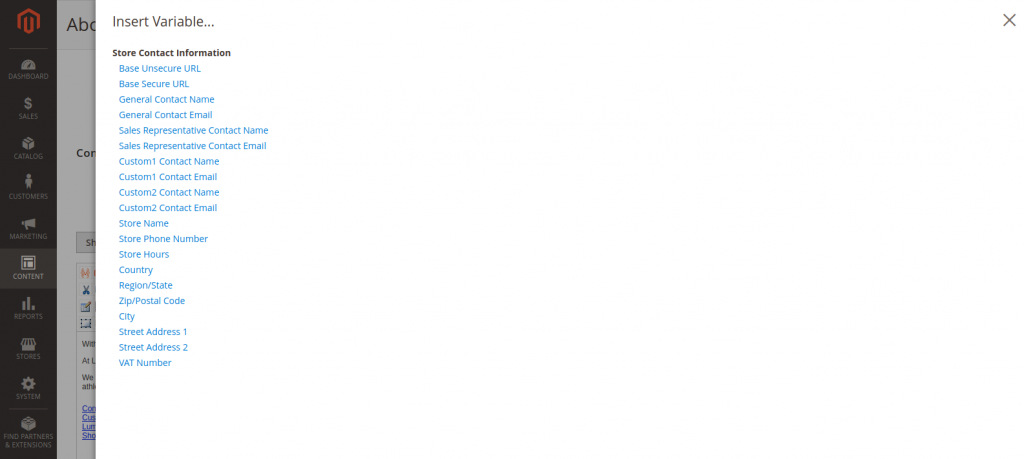
The list of default variables is limited. In addition, we can create our own custom variables.
Now, we will learn how to add predefined variables.
Step 1 :
Choose the template where you want to add variables. It can be an email template or a page template.
Example: To add variables to email templates.
Firstly, navigate to Marketing > Communications > Email Templates. Then choose the template where you want to add the variables to (or create new templates).
Step 2 :
Firstly, navigate to Marketing > Communications > Email Templates. Then choose the template where you want to add the variables.
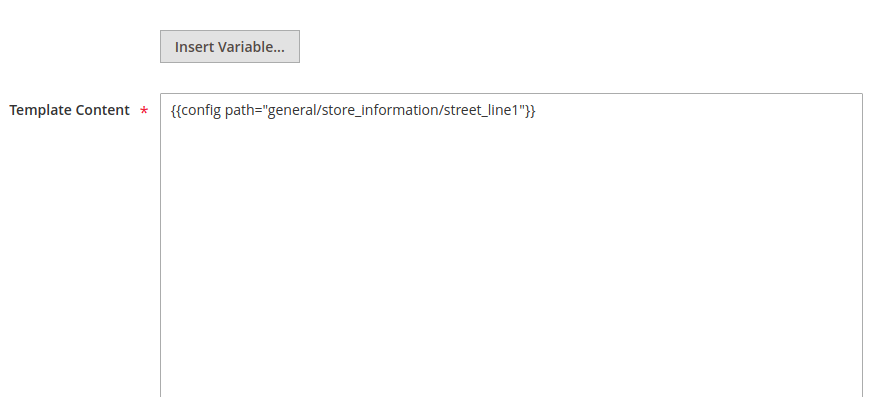
Step 3 :
To create a custom variable, we need to do the following:
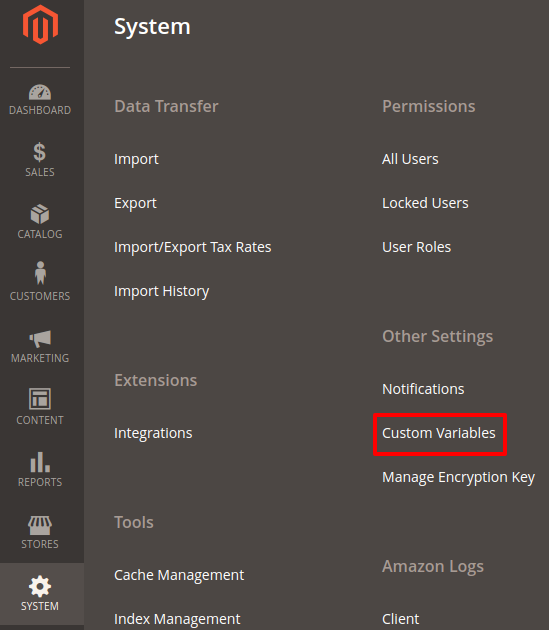
Go to System > Other Settings > Custom Variables.
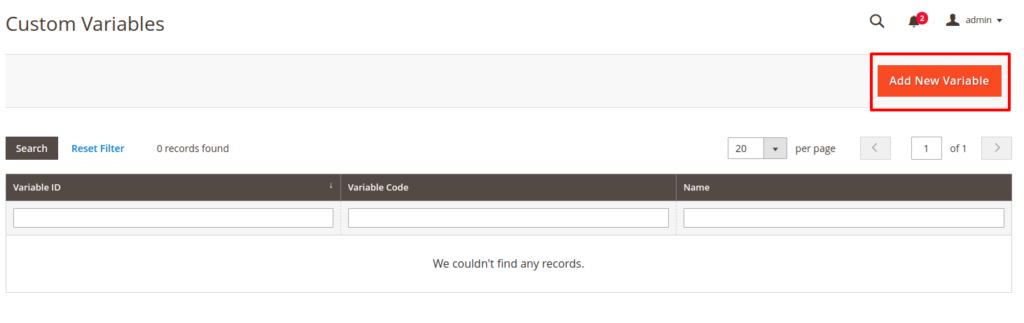
After the page loads, you need to click on the add variable button.
Then enter the custom variable information.
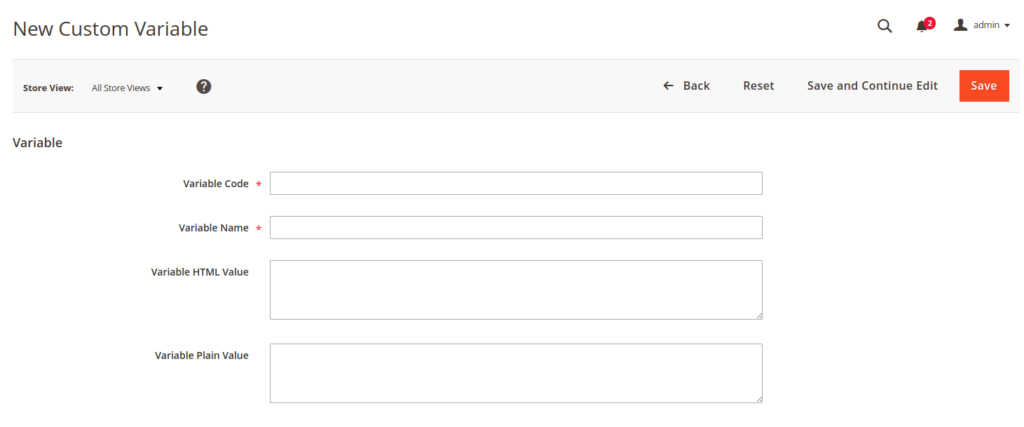
- In the Variable Code field, enter an identifier and use all lowercase characters, without spaces.
- Enter a Variable Name, which is used for internal reference.
- In the Variable HTML Value text field, enter any content you want to include, using basic HTML tags. This option allows you to format the value.
- In the Variable Plain Value field, enter the variable value as plain text.
By learning how to add variables for Magento 2 templates, you make your store easier to manage and way more efficient. Whether you’re inserting predefined variables or building custom ones, the process keeps your templates cleaner and your content consistent. Simple steps, solid payoff, and fully aligned with Magento best practices.
This way, you can add custom as well as default variables in the page, block, and email templates.
Related resources:






Post a Comment
Got a question? Have a feedback? Please feel free to leave your ideas, opinions, and questions in the comments section of our post! ❤️